...
We can see two columns: domain name and the number of available impressions for it. It's better to include not much than 40% of the numbers in the report while preparing a media plan.
Available inventory (IBV inventory)
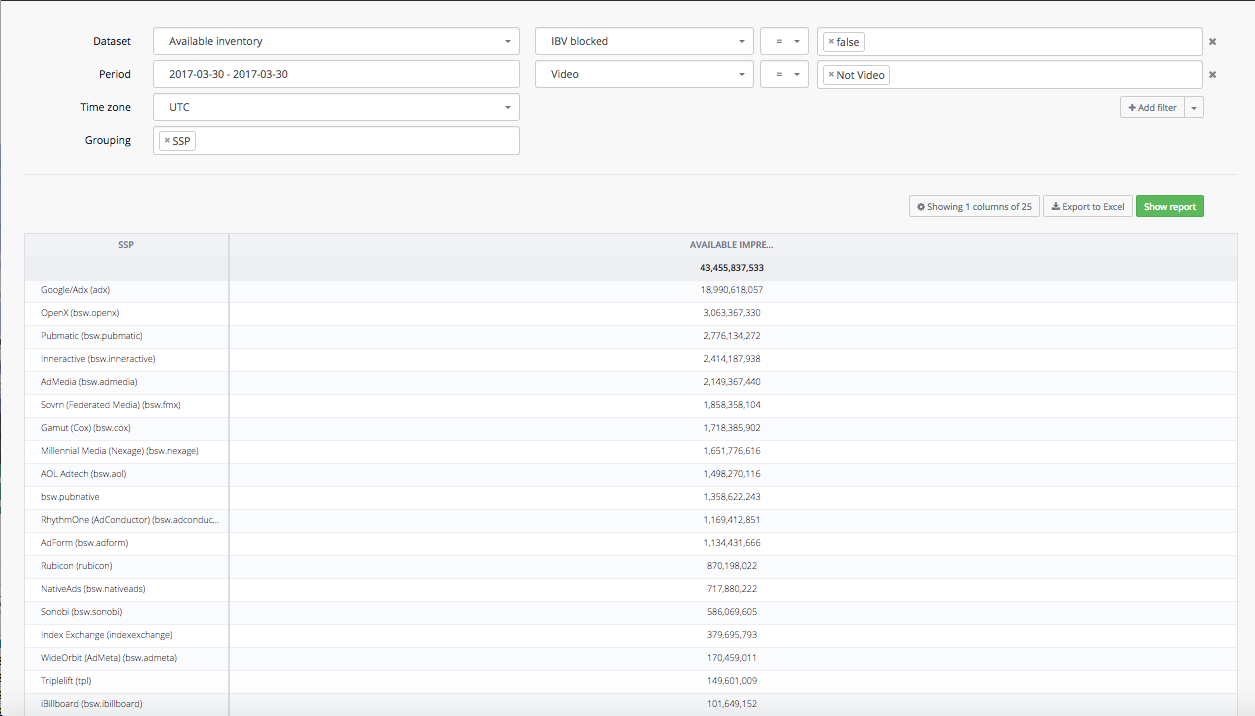
"Available inventory report" also allows you to see available inventory for in-banner video (IBV) traffic.
In order to do this, you must add the following filters to your report:

This willshowyoutheamountofavailableimpressionsfor IBV. Here's an example - the list of SSP with availableimpressionsfirIBV:
Available inventory (blocked advertisers)
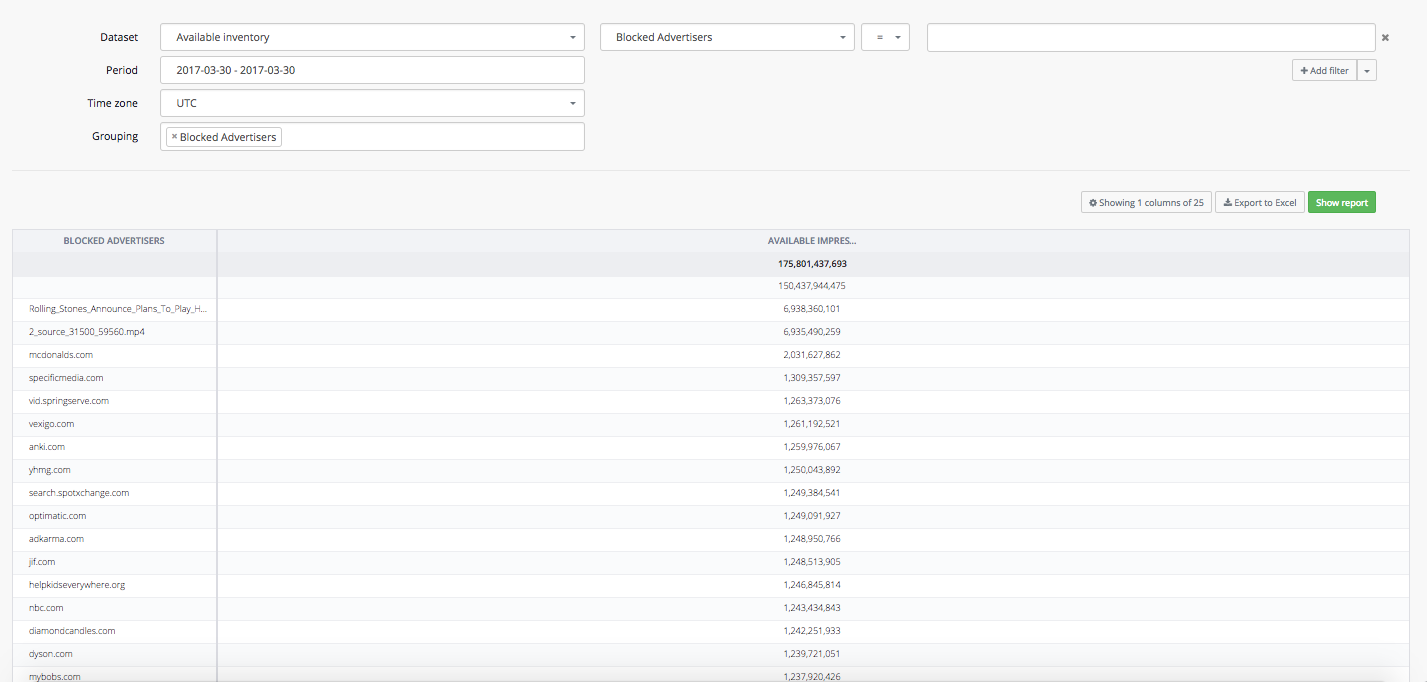
With "Available inventory report" you can gain access to the information about blocked advertisers, in order to exclude them from your campaign set-ups and targeting.
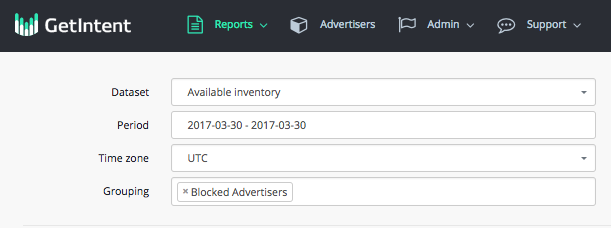
In order to build a report about blocked advertisers on the Getintent side, you can insert "Blocked advertisers" tag into Grouping field:
The report will show you all the blocked advertisers:
Available inventory for Native traffic
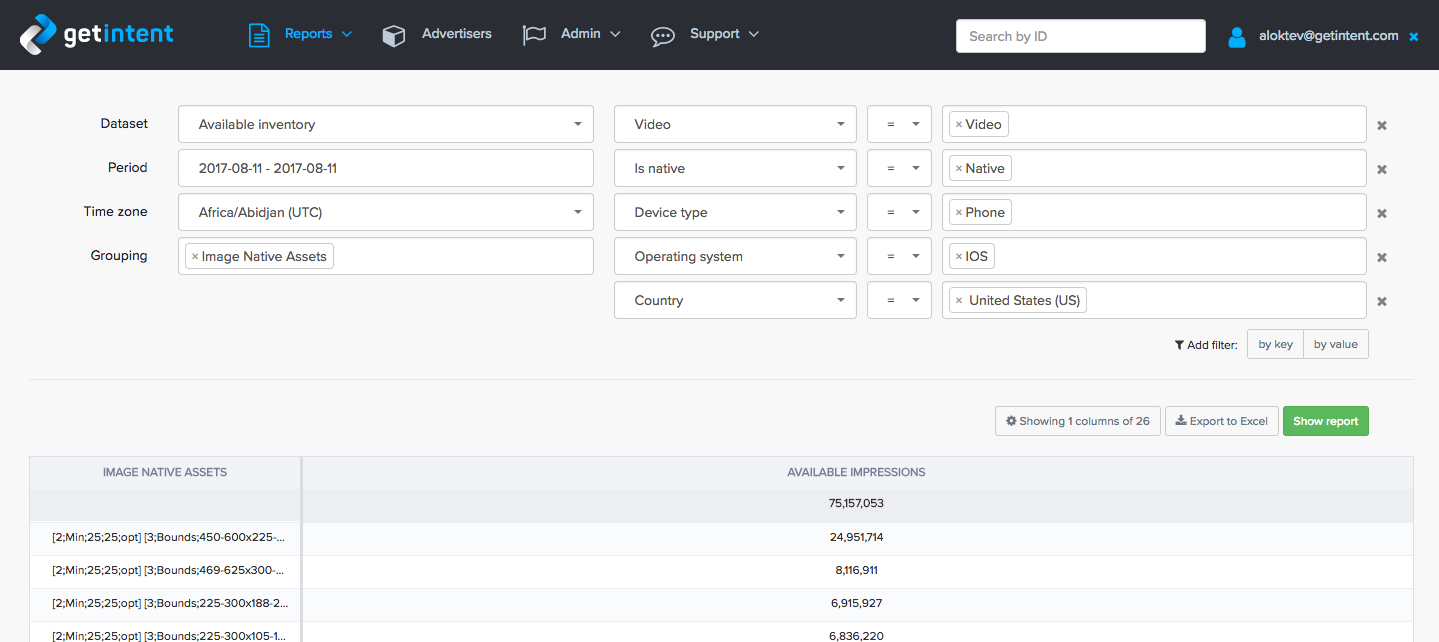
Estimating available native inventory requires additional filtering and grouping:
Filter
Add Is native = Native to filters to estimate native inventory
Image Native Assets (Grouping)
Lists all assets related to images, like Icon, Main Image, Logotype. Each image description is in [...] brackets.
Format of single image: [ {asset_type}; {size_type}; {size}; {opt/req} ], where:
- asset_type: 0 - None, 1 - Icon, 2 - Logo, 3 - Main Image.
- size_type: Possible values: Min (only minimal size is presented), Fix (only fixed image size), Bounds (size can vary from→to)
- size: actual size rule for the given size type
- opt/req: opt - optional asset, req - required asset
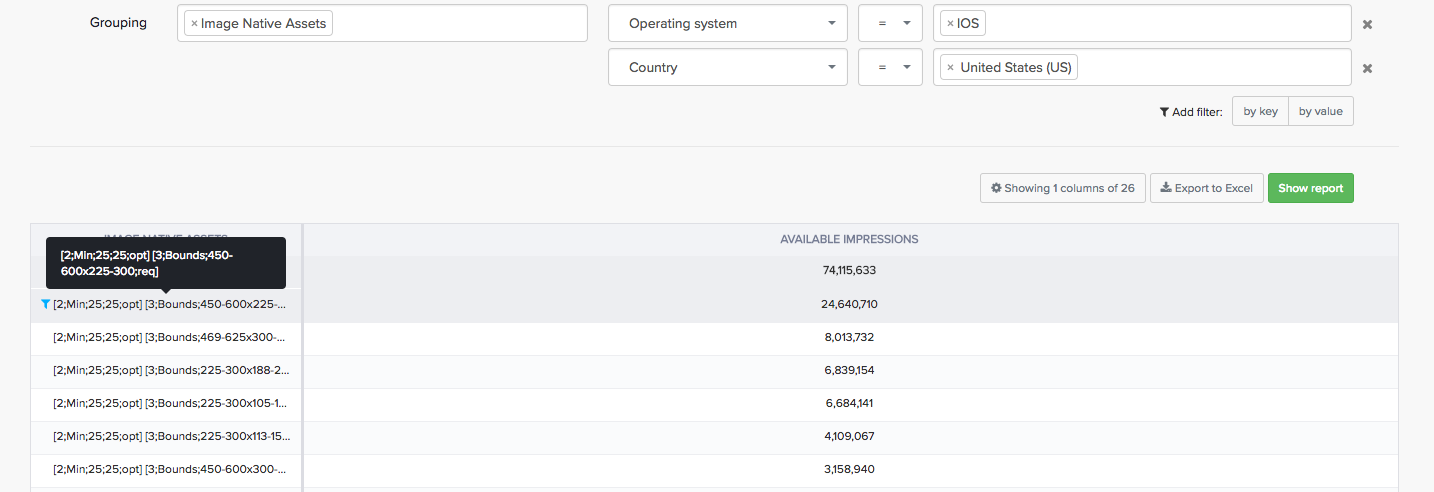
How to read Image native assets:
[3;Bounds;450-600x225-300;req] - [Asset type - Main Image; size_type - size can vary; size can vary within 450-600x225-300; Main image is required asset]
...