...
1. Go to the "Campaigns" tab and create a new browser desktop advertising campaign. For this, press "New campaign" and choose, what kind of creative you want to use - Banners, Native or Video. Different types of creatives will lead to different creative settings later:
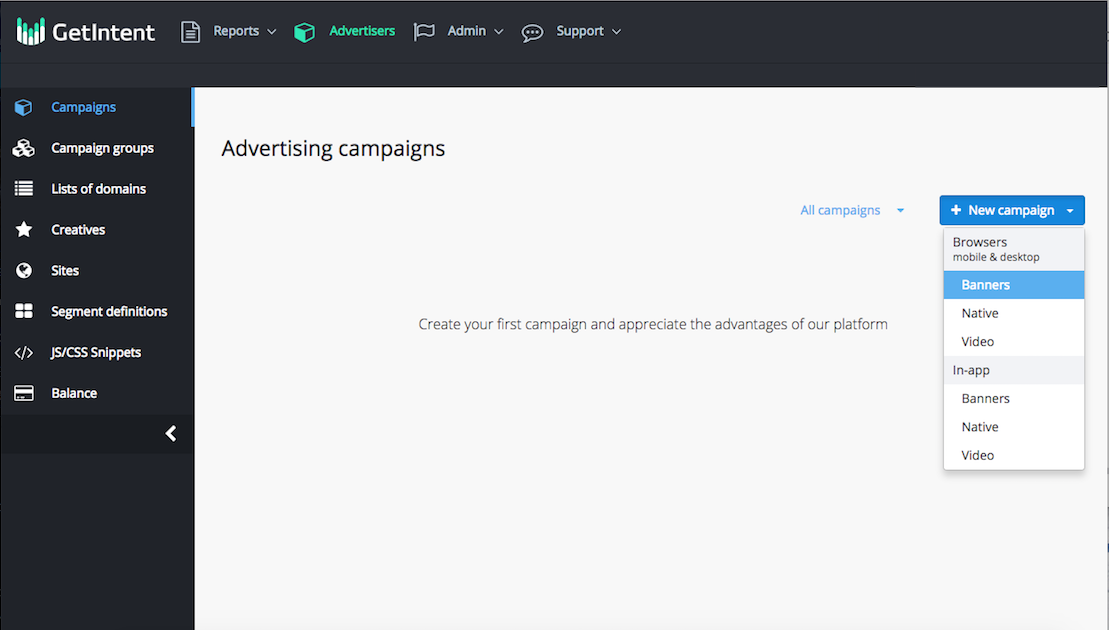
2. For all the types of creatives, there are similar sets of settings, divided into tabs and sections, which will be examined separately. You may see the following tabs on your "New campaign" page:
a) Basic
b) Targeting
c) Advanced Targeting
d) Negative Targeting
e) Other
Basic
Inside this tab you can see several sections - basic options, pricing, creatives and comission
First, you have to fill basic fields:
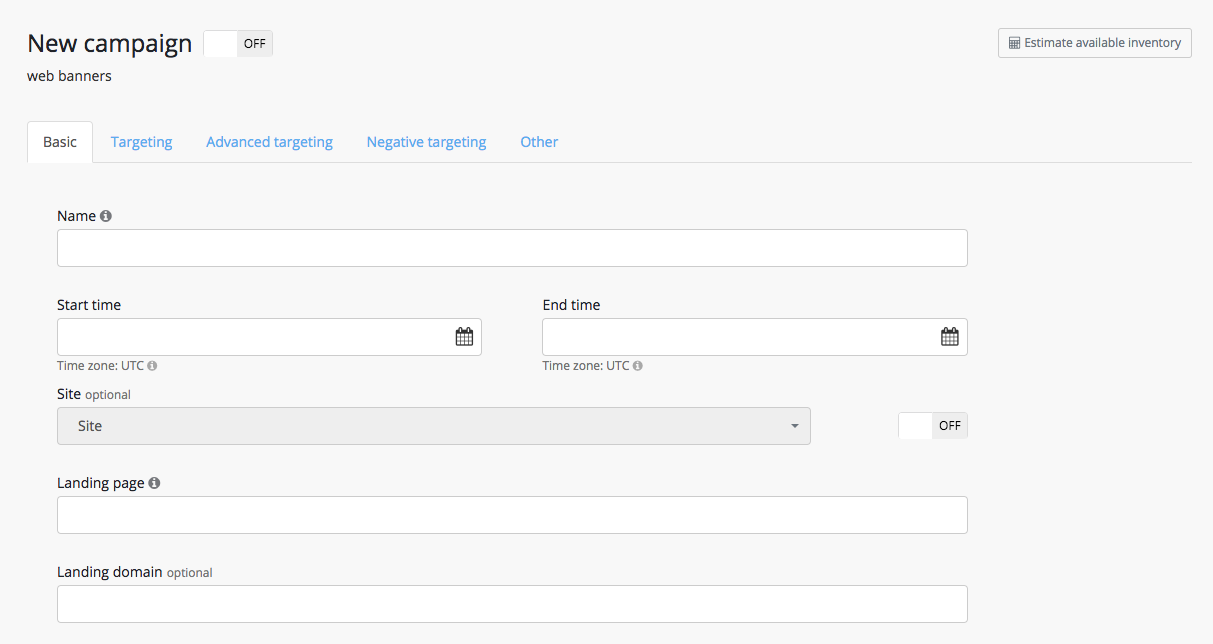
«Name» - enter the campaign name. The name must be entered in Latin alphabet with no spaces, in order to use it in UTM-tag if needed.
«Start Time» - «End Time» - enter the campaign period. The campaign budget will be spread evenly over this timeframe.
«Site» - this field is for a dynamic retargeting. For more information: see Retargeting
«Landing page» - enter the URL of the landing page (direct or through a tracking system).
«Landing page» - enter the landing domain (optional).
...