Accessing reporting through UI
Request your manager for login and password to access GetIntent's UI.
Use this URL to access UI: https://ui.getintent.com/livereports
Accessing reporting through API
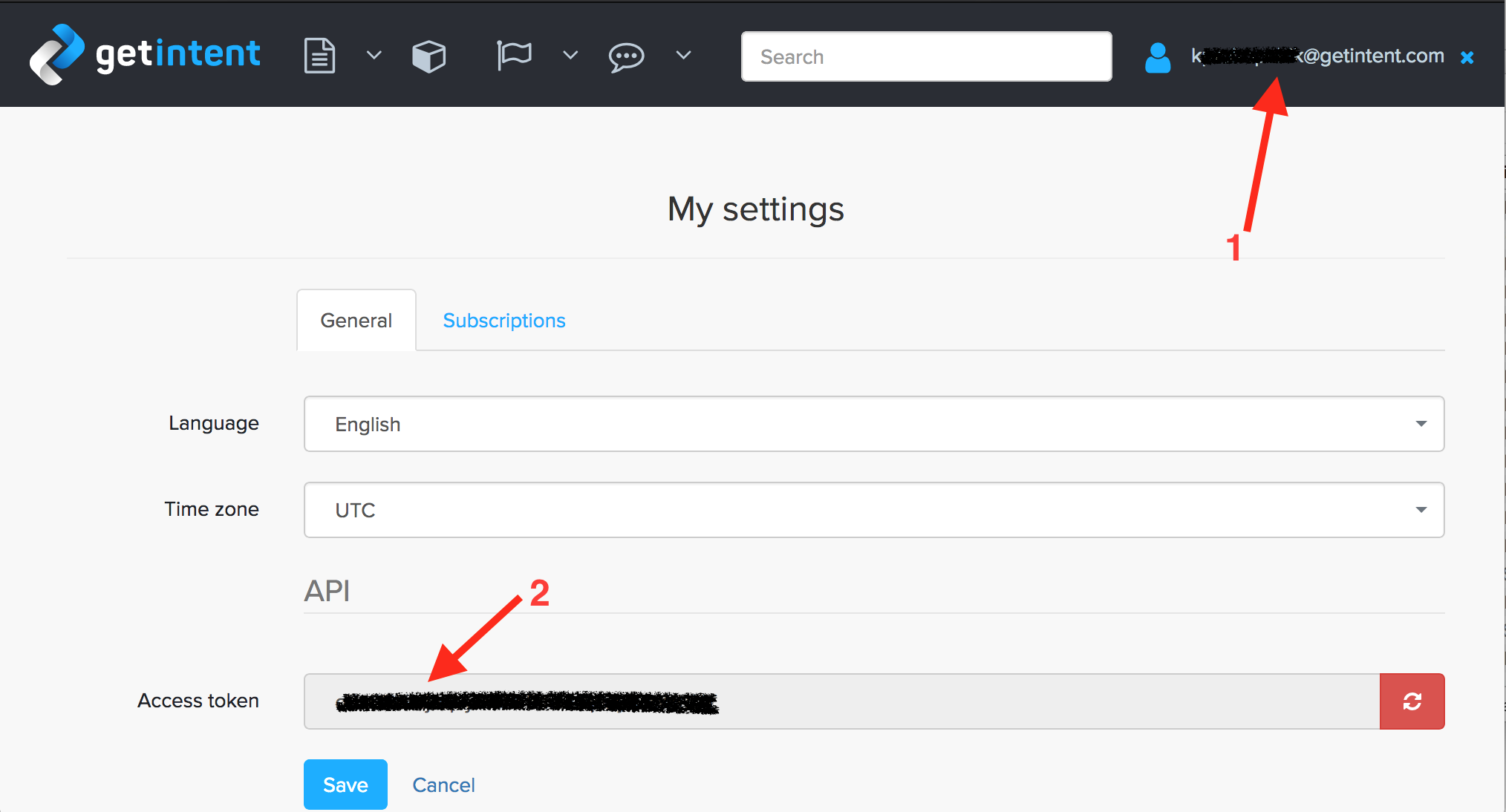
Open your account settings (1) and obtain access token (2) to use in API queries.
Request data with API
| Блок кода |
|---|
GET https://ui.getintent.com/api/v2/bigdata/reports?token=<token>&dataset_name=<dataset>&start=<start_date>&end=<end_date> |
Example query
| Блок кода | ||
|---|---|---|
| ||
GET https://ui.getintent.com/api/v2/bigdata/reports?token=yOrApIToKeNhERe&dataset_name=ssp_report_gi&keys=day&order=day/desc&timezone=UTC&start=2017-12-01&end=2017-12-14 |
More detailed information about Reporting API can be found in the following article: Reporting API Documentation.