...
On the dynamic reports page there is a possibility to make the following settings:
| Оглавление |
|---|
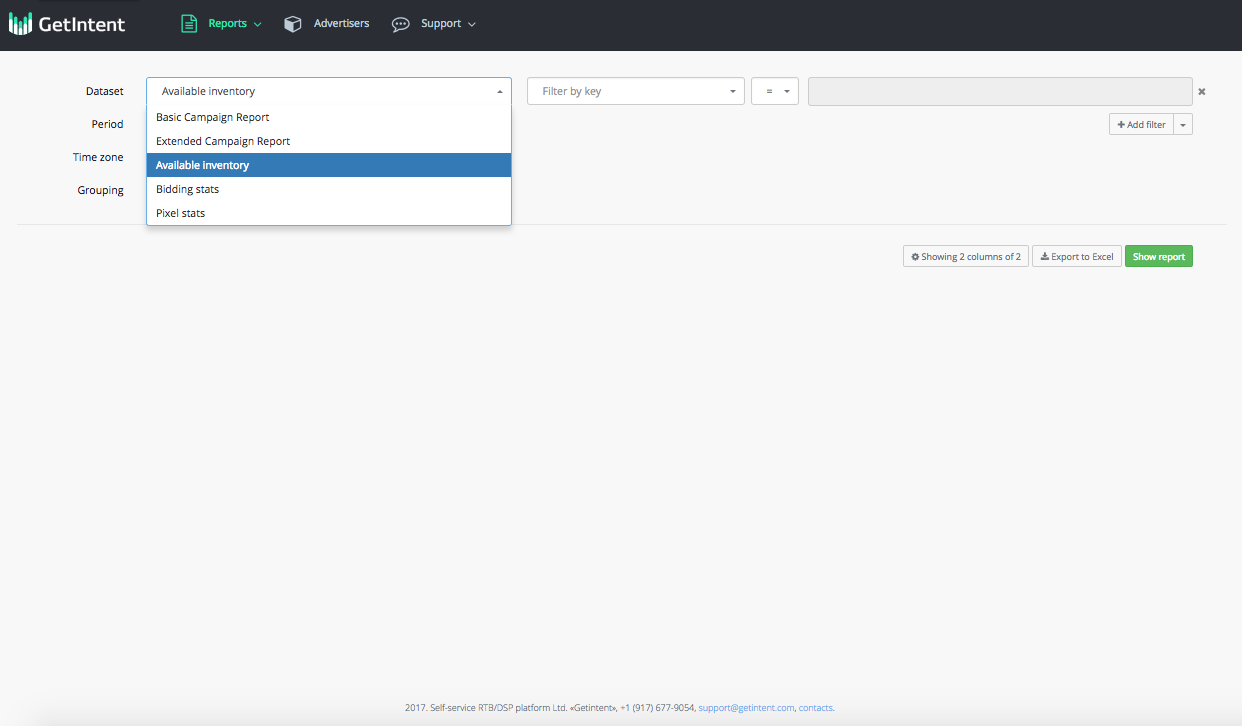
Dataset selection
By default, a user is given a choice of two Datasets:
Basic campaign report – current and past advertising campaigns statistics.
Extended campaign report - advertisement campaign statistics, with the opportunity to use your campaign targeting divisions
Available inventory – all the available traffic information. This dataset should be used when planning to get information on the available traffic in various splits.
Bidding stats - all available information about bidding stats
Pixel stats - all available information about pixel stats
Period
...
There are extensive opportunities for choosing period. Selection can be made from templates, or you can set an arbitrary period.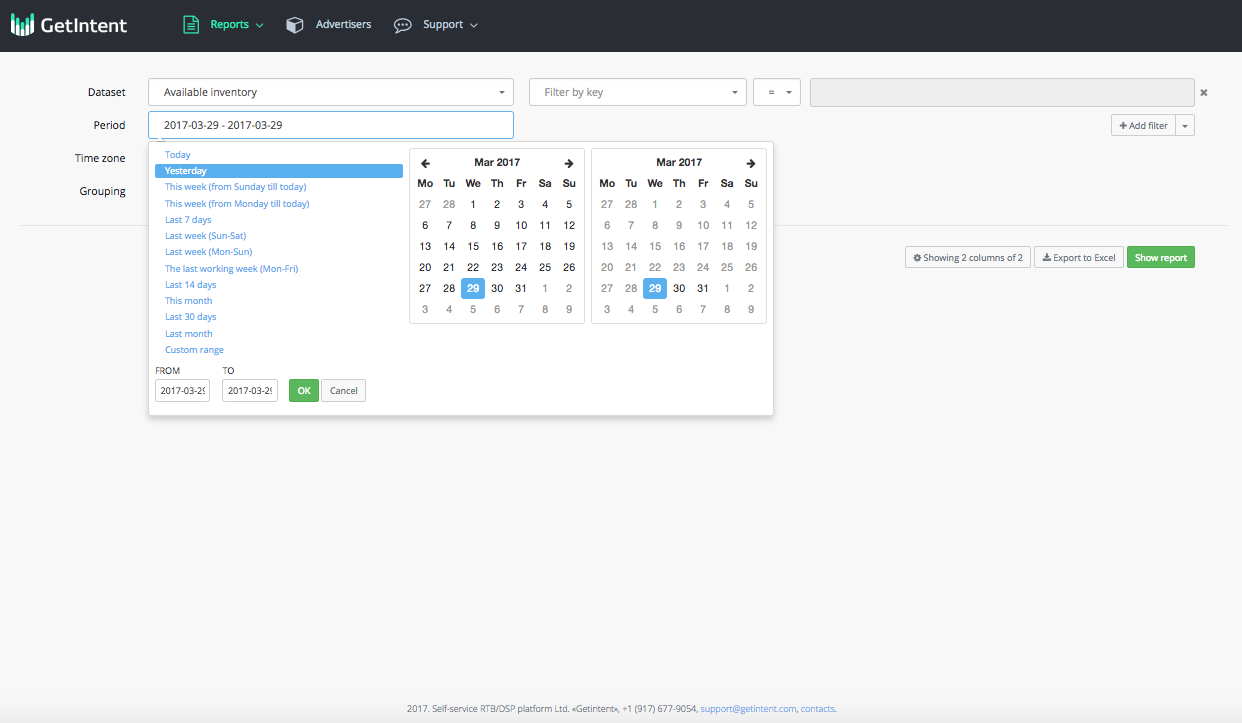
Filter
To add a filter, click the "+ Add filter" link

Field - in this field it is possible to select filtering parameter. For example, you need to see the statistics for only one of your campaigns.
Value - in this field enter the value of chousen parameter. For example, you need to see the statistics for only one or more campaigns.
It is possible to enter multiple values separated by commas. After entering the values, press Enter. When multiple values are entered the addition logic is used.
Equals / is not equal to logic is also available.
Grouping
Grouping - this function provides the ability to select a field / fields to grouping the report by. For example, the report can be grouped by day, by campaign, by days and campaigns.
...