-
Создал(а)
 Неизвестный пользователь (rgyarchas) июн. 05, 2017
Время чтения: 1 мин.
Неизвестный пользователь (rgyarchas) июн. 05, 2017
Время чтения: 1 мин.
How to get started with self-service DSP Getintent?
Just follow 2 simple steps:
- Register on our website.
You will be granted demo-access to the platform (without the ability to launch campaigns).
- Deposit into your account.
You can deposit your self-service DSP Getintent account using a credit card.
To do so please use the "Balance" tab and then the "Deposit funds" button.
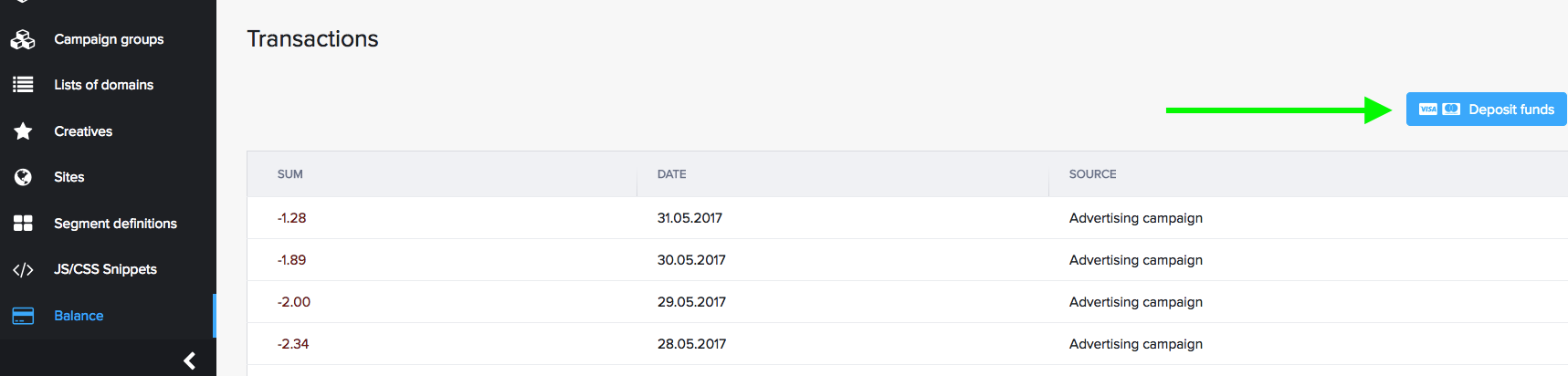
Then fill in the "Sum" field and use the "Go to payment" button.
Fill in the form appeared and use the "Pay" button.
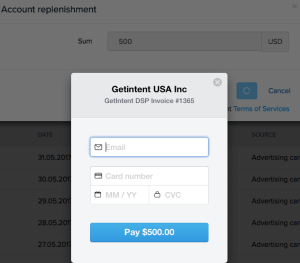
After the payment operation completion, your Getintent account will be credited.
If you want to discuss individual terms of service and alternative payment methods, please contact us.