-
Создана пользователем
 Неизвестный пользователь (aloktev). Последнее обновление: мар. 30, 2017
Время чтения: 2 мин.
Неизвестный пользователь (aloktev). Последнее обновление: мар. 30, 2017
Время чтения: 2 мин.

Each advertiser has the ability to "create" one or more sites in the interface.
Creating a website is necessary to:
1. Create a unique pixel for client's site (3.1 JS pixels placing specification, 3.2 Non-JS pixels placing specification)
2. Link a website and YML feed to create dynamic creatives (3.5 Adding XML feed and dynamic creative settings (EDIT LINK))
3. Configure additional conversion rules for the advertiser's site (5.1 Conversion rules setting)
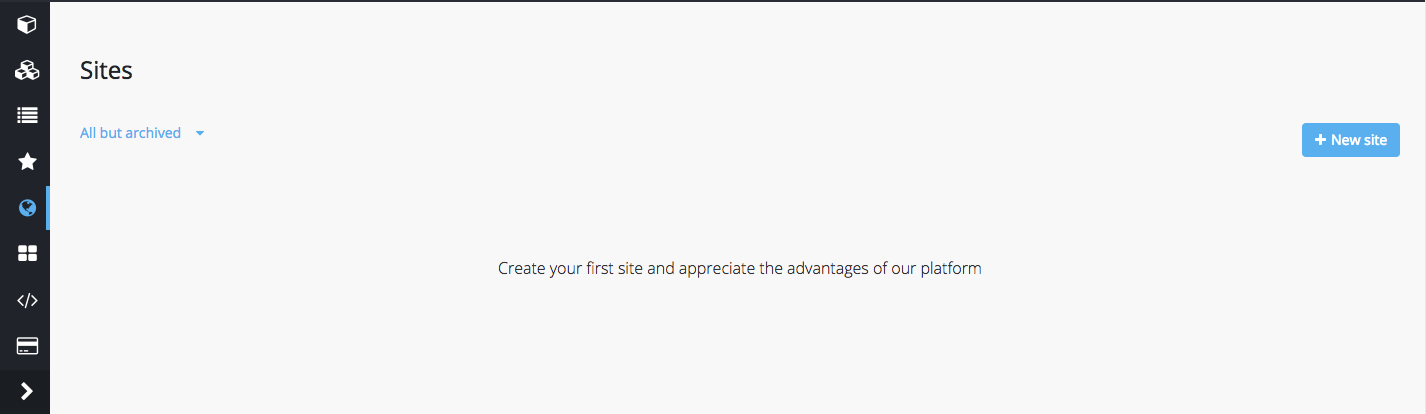
To create a site go to the "Sites" tab and add a new site
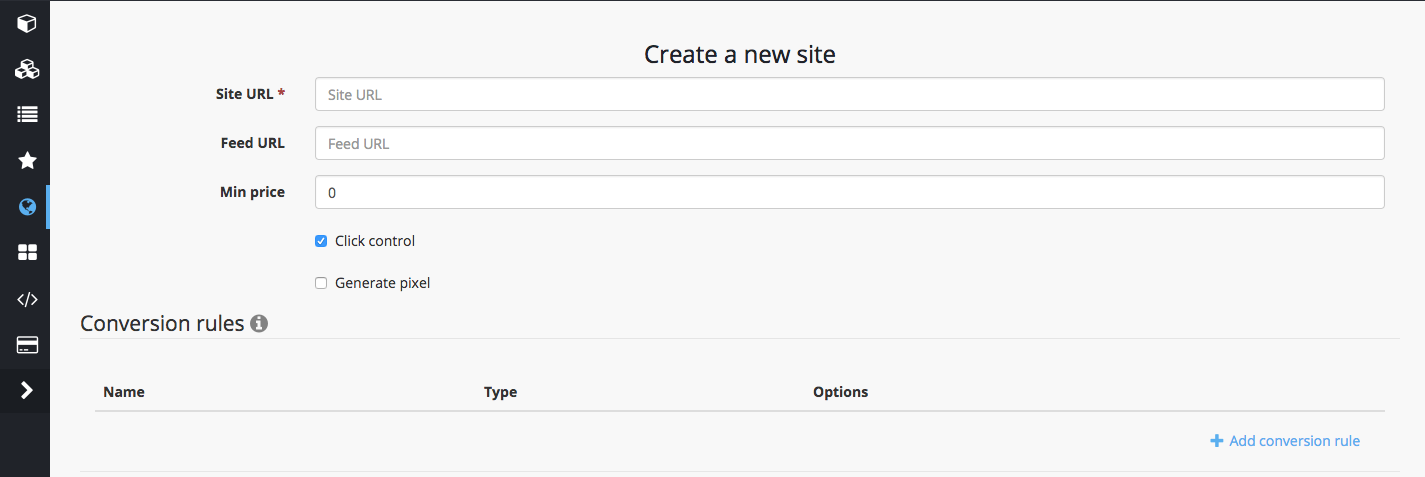
Then enter the site address in the http://getintent.com/ format and click "Save"
A new site will be added to the list of sites with a unique ID.
Use this number in the site_id parameter in the GetIntent tracking pixel (3.1 JS pixels placing specification, 3.2 Non-JS pixels placing specification)