6. Отчеты, аналитика и отслеживание

The Getintent platform supports creation of additional conversion rules that allow to track the performance and optimize campaign efficiency.


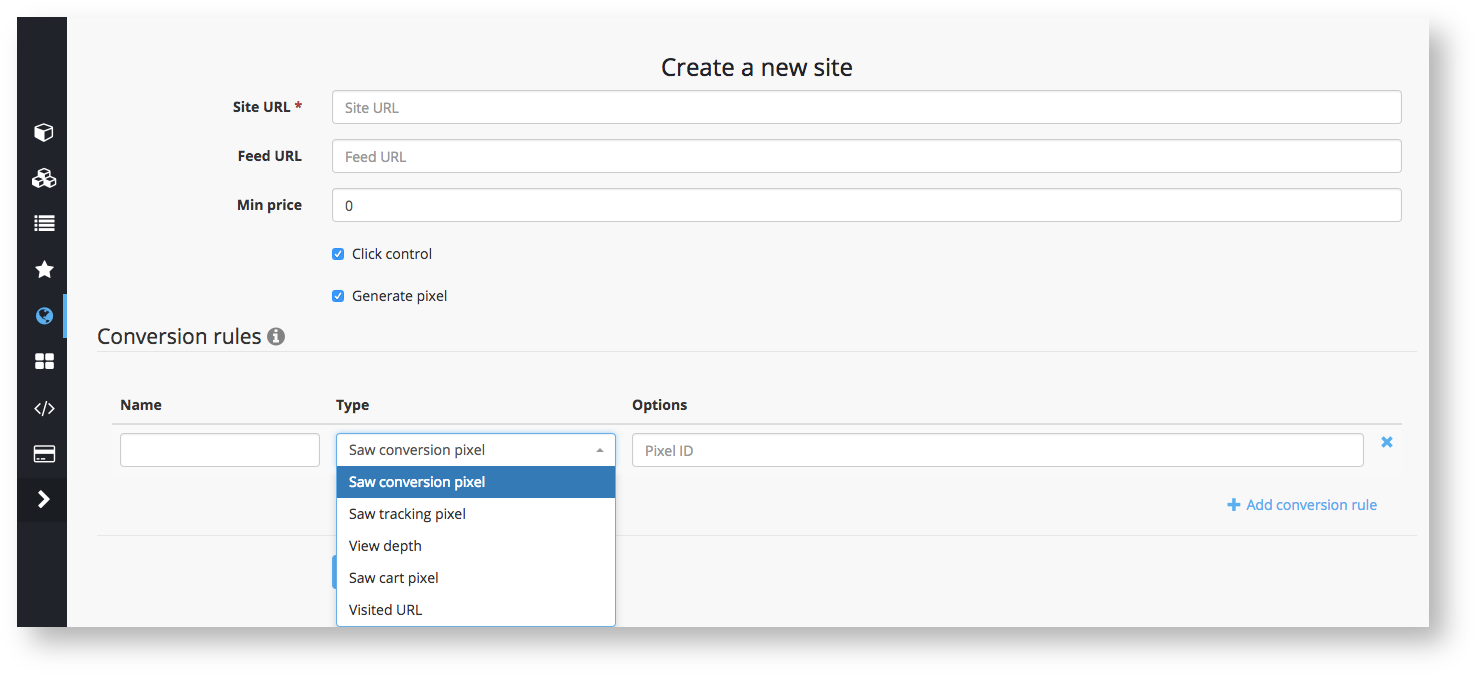
Conversion rules may be set in the "Sites" tab in the settings of the UI (adding a site: 5. Sites and Conversion).


You can configure 5 different types of conversion rules:

CONVERSION RULES:

1. View depth: counts visitors, that have the depth of view equal to or more than the set value

2. Saw tracking pixel: if you want to track specific page visits on the advertiser's site, place the Getintent tracking pixel with a unique constant value “pixel_id” on this page.

3. Saw conversion pixel: a standard conversion, which runs by default, if no other rules are set. If there are additional rules, set this rule and give it a name so that you can conveniently track the performance reports.

4. Saw cart pixel: this rule allows you to track new items in the cart as a conversion.

5. Visited URL: this rule allows you to track the URL visits on advertiser's website


Why do you need it?

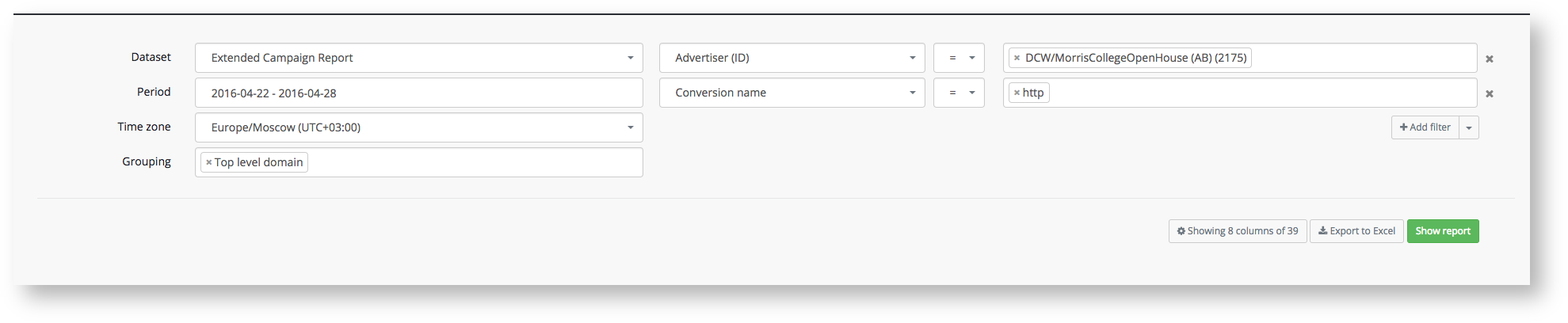
Setting up the conversion rules enables evaluation of the traffic based on various slices including groupings by SSP, domains, devices, etc. You can track this statistic using Getintent dynamic reports: 6.3 Reports Builder

To see the information you need, choose:
Dataset: pixel stats
Group by the evaluated field (SSP, Domain etc.)
Add a conversion name filter to gather statistics on a specific conversion rule.