-
Создана пользователем
 Неизвестный пользователь (ebortnikova). Последнее обновление: авг. 02, 2017
Время чтения: 3 мин.
Неизвестный пользователь (ebortnikova). Последнее обновление: авг. 02, 2017
Время чтения: 3 мин.
Below you can find examples of the most common mistakes and short instructions how to avoid it.
Campaign Period and Budget
We suggest to pay more attention on Campaign Period and Budget settings as they effect your spend and performance significantly.
Good Practice

Daily and Total Budgets do not contradict each other and Period is not too big.
Bad practice

Campaign period is almost maximum - 364 days, Total Budget is low, Daily budget is relatively high.
In this case system is going to throttle traffic to make your campaign deliver total budget evenly till the end of the campaign period.
Which means that campaign is going to spend about $2 per day.
It is not prohibited to set campaign period for few month or almost a year, just make sure that your budget is big enough.
Available Inventory wasn't check before launch
General suggestion
In case of using any specific targetings and their combination we suggest to check inventory availability.
We suggest to pay high attention for following targetings and don't forget to include them in your report:
- Specific domains or white lists
- Geo
- Exclude Black list
- Creative sizes
- Creative type (video, display, IBV)
You can find more information about Available inventory here.
Important details
We also suggest double check available inventory by SSP.
Your creatives can not pass moderation for some specific SSPs, for example Adx and Rubicon.
In this case you will see specific Content Tags on the creative page:

Spend ASAP feature
Spend ASAP feature makes your campaign bid for all available inventory when enabled.
We suggest to use this feature for following cases:
- You actually need to Spend ASAP and deliver a lot of inventory in short period
- Your targetings are extremely narrow and budget is relatively big
We suggest to avoid using Spend ASAP for following case:
- Wide Geo & All SSPs & Low budget → this combination is probably a fatal error
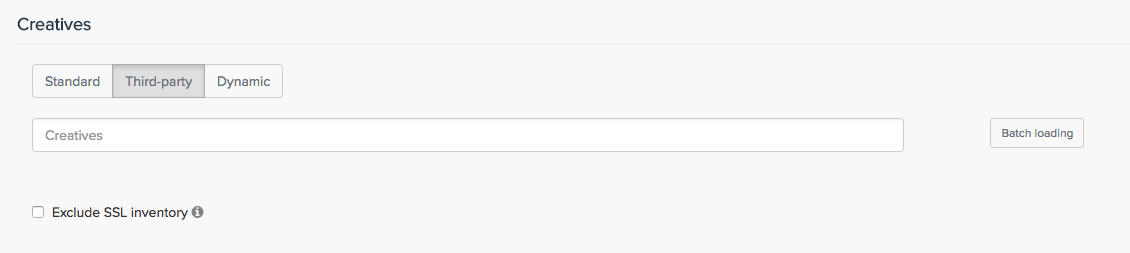
Exclude SSL Traffic
Please be careful with Exclude SSL inventory check box that you can find in the Creative section (see screenshot below).
You should not use it in case your creative is SSL compliant.
Wrong Landing Page
Landing page should the advertised product.