Self-service DSP Getintent supports 3rd-party creatives.
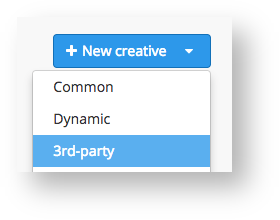
To upload a 3rd-party creative, choose the ‘3-rd party’ option in a menu in the "Creatives" tab.
Then you’ll see the 3-rd party creative adding window:
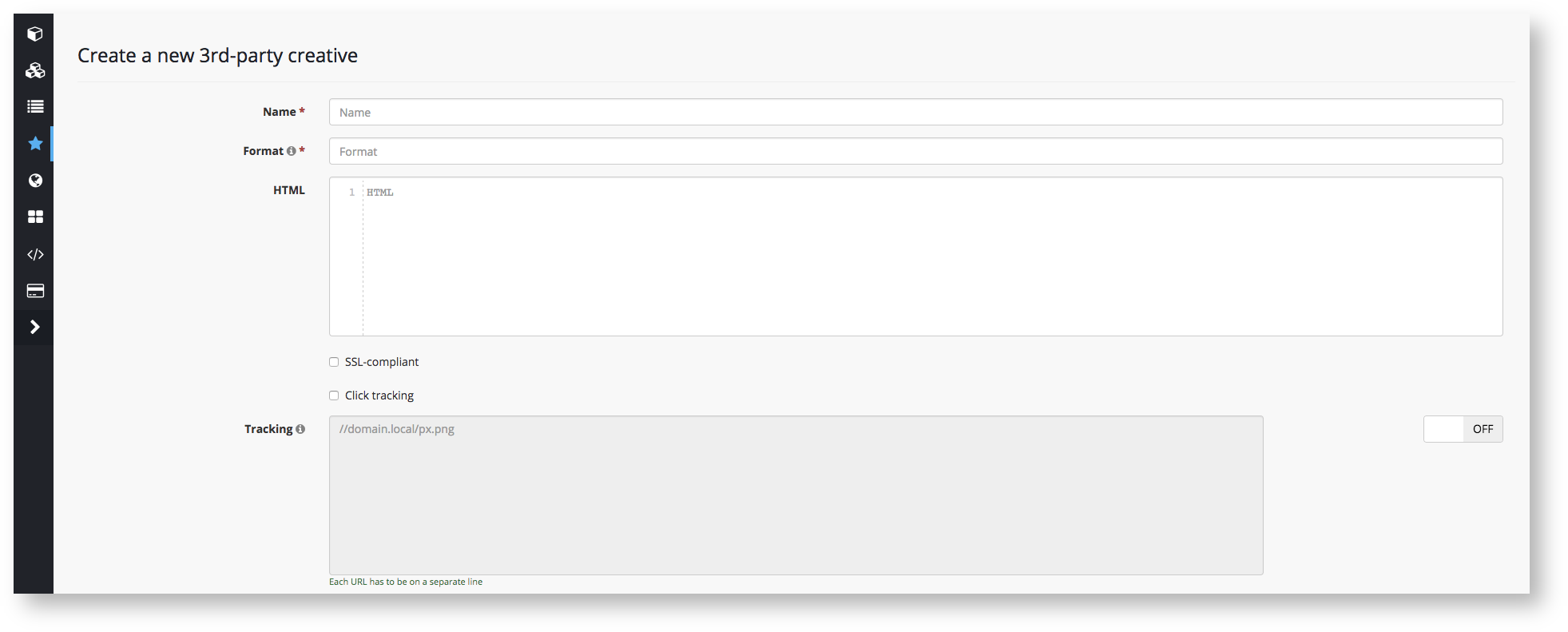
"Name" – enter a creative’s name
"Format" – enter a creative's format (eg: 240x400).
NB! Third-party creative must fit only one format.
"HTML" – enter an ad’s code
"SSL-compliant" checkbox – tick if the code of your creative supports https.
NB! While using a non-SSL creative with the active checkbox, the end-user might not see the ad on https:// websites, while the impression will still be counted in campaign statistics. Do not tick the checkbox unless your creative is SSL-compilant.
For proper functioning of 3-rd party creatives in Self-service DSP Getintent you must add a click macro ( [[CLICK_PREFIX]] or [[CLICK_PREFIX_ENCODED]]). It is needed for click tracking and using Target_CPC strategy. If the click macro is absent some SSPs and partner websites may block the creative.
NB! Every 3-rd party system has its own rule for click macro adding. For correct click macro implementation you need to contact your code provider.